

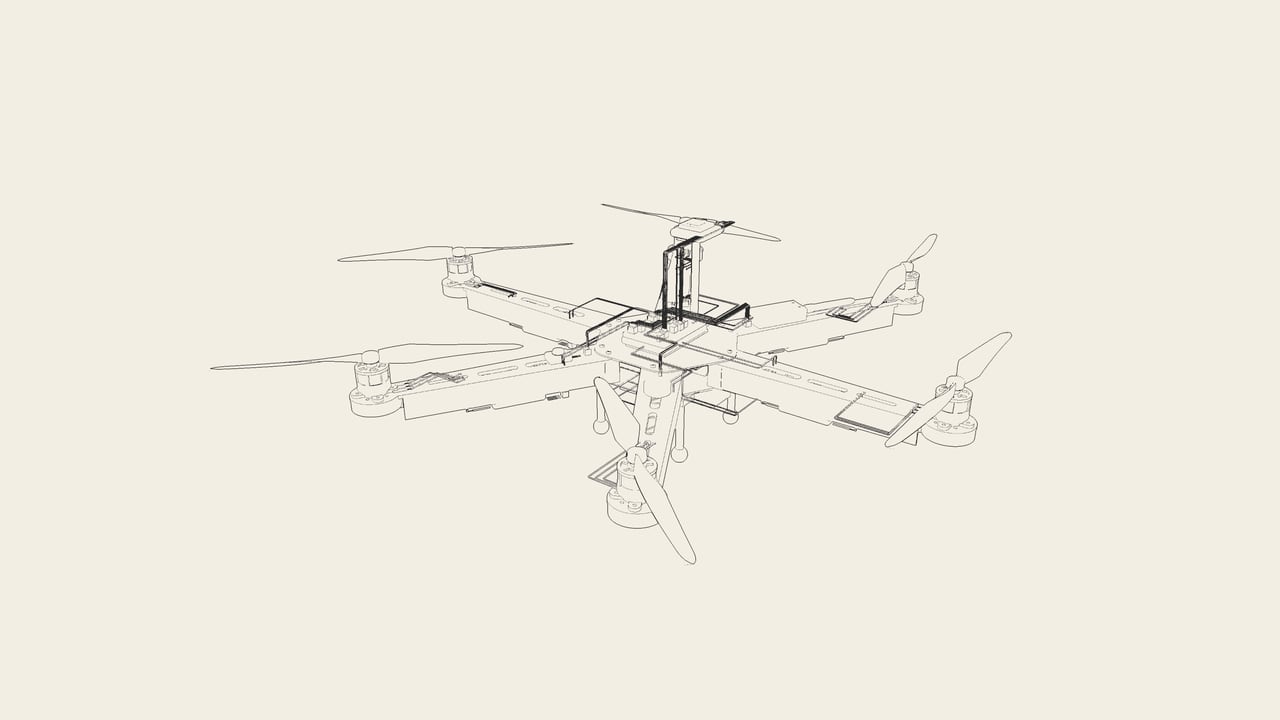
Advanced Drone Design and Assembly
The engineer's course. You design an airframe (rotor count, arm length, mass, materials, drag), then make it in the Engineering Workshop: mark, cut, smooth and drill each board, solder the power board, build it in the kit's order, and get it approved by the Workshop's own rules. Every tool has its own lesson: how to hold it, how to use it, the safety, and what the rules catch when it is misused. You also weld a centre-bar frame in a jig. Then your frame becomes a STEM Engine part: you wire the drone on it by hand and fly it in the Physics Sim. You build the hexacopter, the tricopter and the bicopter, the FPV stack on a 4-in-1 ESC with ExpressLRS, and every other board and pack in the library, and you write your own mission scenarios. Finally, Machine Make: the same plates cut on a CNC router or a laser, or 3D printed, from real G-code you read, simulate and can send to a real machine. Eight assignments, three in the Workshop and five in the STEM Engine, end with your own frame, hand-wired, flying a reconnaissance mission, and your frame made on a machine. Every one is graded on the server. **Launch offer:** buying the course upgrades your account to Premium for 2 months and unlocks every Physics Sim mission module. Start with **Drone Design and Assembly for Beginners** if you have not built a drone before.
70 lessons ·
What you will learn
- 1. Airframe design
- Four airframes12 min
- Lab: Compare the airframes10 min
- Lab: The hexacopter's rotors8 min
- Arm length, mass and thrust12 min
- Materials10 min
- Does shape matter? Drag at drone speeds9 min
- Quiz: Airframe design6 min
- 2. The Engineering Workshop
- Design: drawing the frame10 min
- Make: from sheet to board12 min
- Build, Test and Report12 min
- Lab: The Workshop's order of work6 min
- Quiz: The Workshop5 min
- 3. Workshop tools: making the boards
- Tool: Protection6 min
- Tool: Marker and template5 min
- Tool: Coping saw8 min
- Tool: Sanding block6 min
- Tool: Drill and bits8 min
- Tool: Vernier calipers6 min
- Quiz: Making the boards5 min
- 4. Workshop tools: putting it together
- Tool: Hex (Allen) keys8 min
- Tool: Hex key 1.5 mm4 min
- Tool: Hex key 2.5 mm4 min
- Tool: Hex key 3.0 mm4 min
- Tool: Thread locker6 min
- Tool: Torque screwdriver6 min
- Quiz: Putting it together5 min
- 5. Soldering the power board
- The power board and its ten pads10 min
- Tool: Soldering iron8 min
- Lab: The pads6 min
- Quiz: Soldering5 min
- 6. Centre-bar frames: welding in a jig
- A frame from tube12 min
- Tool: The welding jig8 min
- Tool: TIG torch (aluminium)10 min
- Quiz: Welded frames5 min
- 7. Flying your own frame
- From the Workshop to the sky10 min
- Lab: Fly a quad, steady10 min
- Quiz: Your own frame5 min
- 8. Other airframes
- The hexacopter10 min
- The tricopter and the bicopter12 min
- Lab: The tricopter10 min
- Lab: A tail motor with no power7 min
- Lab: Fly the hexacopter8 min
- Quiz: Other airframes5 min
- 9. FPV stacks, other boards and other packs
- The FPV stack12 min
- Receivers, GPS units and packs12 min
- Part: SpeedyBee F405 V48 min
- Part: 4-in-1 ESC8 min
- Part: Matek H743-SLIM7 min
- Part: ExpressLRS receiver5 min
- Part: UART GPS5 min
- Part: Pixhawk 6C7 min
- Part: 10-pin GPS5 min
- Part: Cube Orange+7 min
- Part: 8-pin GPS5 min
- Part: Tilt servo5 min
- Part: 5 V UBEC4 min
- Part: 3S 5000 mAh pack4 min
- Part: 4S 3300 mAh pack4 min
- Quiz: FPV and other boards6 min
- 10. Mission authoring and the capstone
- Writing your own scenarios12 min
- Lab: Scenarios and modules8 min
- Lab: A mission on the hexacopter12 min
- Quiz: Missions and the capstone5 min
- 11. Machines: from drawing to G-code
- From drawing to G-code12 min
- Tool: CNC router8 min
- Feeds, speeds and passes10 min
- Reading G-code: one plate, three controllers12 min
- Tool: 3D printer8 min
- Lasers and printers: what each sheet allows10 min
- Machines quiz8 min